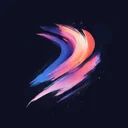
Bold Geometric Colour 2 Procreate brush set cover – free Abstract brush pack with 8 brushes for iPad

Free Procreate Brushset

Bold Geometric Colour 2

Download Bold Geometric Colour 2 – free Procreate brushset for iPad. Preview the strokes, install the .brushset file and find similar packs.

4.9
13.8K likes
Abstract 8 brushes Premium
Get on App Store
Bold Geometric Colour 2 Procreate brush quick look preview 1 of 8 – Abstract brush from a free 8-brush pack
Bold Geometric Colour 2 Procreate brush quick look preview 2 of 8 – Abstract brush from a free 8-brush pack
Bold Geometric Colour 2 Procreate brush quick look preview 3 of 8 – Abstract brush from a free 8-brush pack
Bold Geometric Colour 2 Procreate brush quick look preview 4 of 8 – Abstract brush from a free 8-brush pack
Bold Geometric Colour 2 Procreate brush quick look preview 5 of 8 – Abstract brush from a free 8-brush pack
Bold Geometric Colour 2 Procreate brush quick look preview 6 of 8 – Abstract brush from a free 8-brush pack
Bold Geometric Colour 2 Procreate brush quick look preview 7 of 8 – Abstract brush from a free 8-brush pack
Bold Geometric Colour 2 Procreate brush quick look preview 8 of 8 – Abstract brush from a free 8-brush pack

iPad App

Explore 2737+ Procreate brushsets in the Procreate Brushes iPad app — 60000+ brushes inside

Bold Geometric Colour 2 · 2,737 brush packs

A closer look at Bold Geometric Colour 2

Bold Geometric Colour 2 packs 8 abstract brushes into a single Procreate set for iPad.

Working with this pack

Tap the .brushset to load it into Procreate; there is no extra setup, just start drawing. Preview thumbnails show each stroke before you commit. If you want more range, pair it with packs like Abstract 38, Bold Geometric Colour and Abstract 2. With 13,800 likes, Bold Geometric Colour 2 is a well-used pick among the abstract brushes. Bold Geometric Colour 2 is part of the premium collection.

Similar Brushes

Rate this brush pack

Frequently Asked Questions

Click a question to expand the answer

Is Bold Geometric Colour 2 worth downloading for Procreate on iPad?
It is worth downloading if the preview images match your style, the brush count covers your workflow and the set solves a concrete task such as sketching, texture, watercolor or lettering.
How do I install free Procreate brushes (.brushset) on iPad?
Download the brush pack, open Files on iPad, tap the .brushset file and choose Procreate. The set is usually imported in a few seconds and appears in your brush library automatically.
Why are my Procreate brushes not importing on iPad?
The most common reasons are an outdated Procreate version, an incomplete download, or opening the file outside the Files app. Re-download the pack, update Procreate and import the .brushset from Files again.
Can I use Procreate brushes for commercial work and client projects?
Commercial rights depend on the source of the brush pack. Before using a set in paid illustration, branding or client work, check the license terms and save the permissions note.
What is the fastest way to find and download the right Procreate brush pack?
Start with a category, compare previews, likes and brush count, then open the most relevant set page. If you want the shortest path, install the app from the App Store link to browse curated packs faster. FAQ · Browse all categories

iPad App

Explore 2737+ Procreate brushsets in the Procreate Brushes iPad app — 60000+ brushes inside

Bold Geometric Colour 2 · 2,737 brush packs