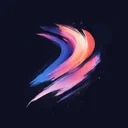

Free Procreate Brushset
Lightning Hero Pose Halftone
Download Lightning Hero Pose Halftone – free Procreate brushset for iPad. Preview the strokes, install the .brushset file and find similar packs.


Premium
“Lightning Hero Pose Halftone” and 2,732 more sets — in Premium
- 63,691 brushes for Procreate
- Commercial use allowed
- Cancel anytime
from ₽165 (≈ €1.74) per month
Get accessInside this halftone brushset
Lightning Hero Pose Halftone is a compact halftone brushset for Procreate on iPad, with 3 brushes in one .brushset file.
Getting it into Procreate
Download the .brushset file and import it into Procreate's brush library — the whole set drops into your brush list in one step. The previews let you see what each brush does up front. It combines well with related sets such as Pop Art Rocket Halftone, Retro Pin Up Ben Day and Roaring Pop Art Comic. Lightning Hero Pose Halftone has picked up 13,800 likes from the community. This is a premium pack.
Similar Brushes

Halftone
Pop Art Rocket Halftone

Halftone
Retro Pin Up Ben Day

Halftone
Roaring Pop Art Comic

Halftone
Classic Muscle Car Pop Print

Halftone
Comic Boom Explosion Dots

Halftone
Glossy Pop Art Screen

Halftone
Skateboarder Retro

Halftone
Retro Robot Panel

Halftone
Halftone 37

Halftone
Lightning Hero Pose Ben Day

Halftone
Vintage Rocket Launch Comic

Halftone
Pop Art Banana Pop Print
Frequently Asked Questions
Click a question to expand the answer
Is Lightning Hero Pose Halftone worth downloading for Procreate on iPad?
How do I install free Procreate brushes (.brushset) on iPad?
Why are my Procreate brushes not importing on iPad?
Can I use Procreate brushes for commercial work and client projects?
What is the fastest way to find and download the right Procreate brush pack?
Premium
“Lightning Hero Pose Halftone” and 2,732 more sets — in Premium
- 63,691 brushes for Procreate
- Commercial use allowed
- Cancel anytime
from ₽165 (≈ €1.74) per month
Get access