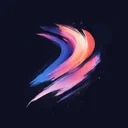

Free Procreate Brushset
Special Effects 217
Download Special Effects 217 – free Procreate brushset for iPad. Preview the strokes, install the .brushset file and find similar packs.


Premium
“Special Effects 217” and 2,732 more sets — in Premium
- 63,691 brushes for Procreate
- Commercial use allowed
- Cancel anytime
from ₽165 (≈ €1.74) per month
Get accessAbout this special pack
Special Effects 217 packs 4 special brushes into a single Procreate set for iPad. It suits rainbows work.
Import and start drawing
Import the .brushset once and each brush shows up in Procreate, ready to paint. The previews let you see what each brush does up front. It combines well with related sets such as Special Effects 95, Special Effects 158 and Special Effects 170. Special Effects 217 has picked up 1,400 likes from the community. This is a premium pack.
Similar Brushes

Special
Special Effects 95

Special
Special Effects 158

Special
Special Effects 170

Special
Special Effects 181

Special
Special Effects 193

Special
Special Effects 196

Special
Special Effects 206

Special
Special Effects 208

Special
Special Effects 230

Special
Special Effects 25

Special
Special Effects 254

Special
Special Effects 256
Frequently Asked Questions
Click a question to expand the answer
Is Special Effects 217 worth downloading for Procreate on iPad?
How do I install free Procreate brushes (.brushset) on iPad?
Why are my Procreate brushes not importing on iPad?
Can I use Procreate brushes for commercial work and client projects?
What is the fastest way to find and download the right Procreate brush pack?
Premium
“Special Effects 217” and 2,732 more sets — in Premium
- 63,691 brushes for Procreate
- Commercial use allowed
- Cancel anytime
from ₽165 (≈ €1.74) per month
Get access