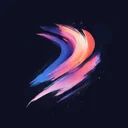

Free Procreate Brushset
Retro Robot
Download Retro Robot – free Procreate brushset for iPad. Preview the strokes, install the .brushset file and find similar packs.


iPad App
Explore 2737+ Procreate brushsets in the Procreate Brushes iPad app — 60000+ brushes inside
What you get with Retro Robot
Retro Robot is a compact halftone brushset for Procreate on iPad, with 5 brushes in one .brushset file. Expect strong results with halftone dots and retro print shading.
How to use it in Procreate
Open the .brushset in Procreate to add every brush in the pack to your library at once. Preview thumbnails show each stroke before you commit. Artists often use it alongside Pop Art Rocket Halftone, Retro Pin Up Ben Day and Roaring Pop Art Comic. Retro Robot has picked up 14,200 likes from the community. Retro Robot is part of the premium collection.
Similar Brushes

Halftone
Pop Art Rocket Halftone

Halftone
Retro Pin Up Ben Day

Halftone
Roaring Pop Art Comic

Halftone
Classic Muscle Car Pop Print

Halftone
Comic Boom Explosion Dots

Halftone
Glossy Pop Art Screen

Halftone
Skateboarder Retro

Halftone
Retro Robot Panel

Halftone
Halftone 37

Halftone
Lightning Hero Pose Ben Day

Halftone
Vintage Rocket Launch Comic

Halftone
Pop Art Banana Pop Print
Frequently Asked Questions
Click a question to expand the answer
Is Retro Robot worth downloading for Procreate on iPad?
How do I install free Procreate brushes (.brushset) on iPad?
Why are my Procreate brushes not importing on iPad?
Can I use Procreate brushes for commercial work and client projects?
What is the fastest way to find and download the right Procreate brush pack?
iPad App
Explore 2737+ Procreate brushsets in the Procreate Brushes iPad app — 60000+ brushes inside