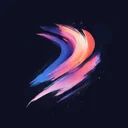

Gratis Procreate brushset
Retro Robot
Download Retro Robot – gratis Procreate brushset voor iPad. Bekijk echte streken, importeer het .brushset-bestand en vind vergelijkbare packs.


iPad App
Ontdek 2737+ Procreate brushsets in de Procreate Brushes iPad-app — met 60000+ penselen
Wat je krijgt met Retro Robot
Retro Robot is een compact halftone-penselenset voor Procreate op de iPad, met 5 penselen in één .brushset-bestand. Sterke resultaten bij halftoonpunten en retro print.
Zo gebruik je het in Procreate
Open de .brushset in Procreate om alle penselen van het pakket in één keer aan je bibliotheek toe te voegen. Voorbeeldminiaturen tonen elke streek vooraf. Artiesten gebruiken het vaak samen met Pop Art Rocket Halftone, Retro Pin Up Ben Day en Roaring Pop Art Comic. Retro Robot heeft 14.200 likes van de community gekregen. Retro Robot hoort bij de premium collectie.
Vergelijkbare penselen

Halftone
Pop Art Rocket Halftone

Halftone
Retro Pin Up Ben Day

Halftone
Roaring Pop Art Comic

Halftone
Classic Muscle Car Pop Print

Halftone
Comic Boom Explosion Dots

Halftone
Glossy Pop Art Screen

Halftone
Skateboarder Retro

Halftone
Retro Robot Panel

Halftone
Halftone 37

Halftone
Lightning Hero Pose Ben Day

Halftone
Vintage Rocket Launch Comic

Halftone
Pop Art Banana Pop Print
Frequently Asked Questions
Click a question to expand the answer
Is Retro Robot worth downloading for Procreate on iPad?
How do I install free Procreate brushes (.brushset) on iPad?
Why are my Procreate brushes not importing on iPad?
Can I use Procreate brushes for commercial work and client projects?
What is the fastest way to find and download the right Procreate brush pack?
iPad App
Ontdek 2737+ Procreate brushsets in de Procreate Brushes iPad-app — met 60000+ penselen